
On Thursday 19 June, Chris demonstrated a selection of free, mostly Open Source, cross-platform apps to fulfill the needs of an imaginary JCC member.
JCC Member: What is Open Source software?
Open source software is software with source code that anyone can inspect, modify, and enhance. “Source code” is the part of software that most computer users don’t ever see; it’s the code computer programmers can manipulate to change how a piece of software—a “program” or “application”—works. Programmers who have access to a computer program’s source code can improve that program by adding features to it or fixing parts that don’t always work correctly. By design, open source software licenses promote collaboration and sharing because they permit other people to make modifications to source code and incorporate those changes into their own projects. https://opensource.com/resources/what-open-source . Many Open Source programs are free for end-users and have versions for many different devices e.g. Windows, Mac, Linux , Android (i.e. they are “cross-platform”)
JCC member: I’m fed up with all those ads on YouTube, how it tracks me all the time, and all that clutter on the screen.
Try Freetube: https://freetubeapp.io
FreeTube is a YouTube client for Windows (10 and later), Mac (macOS 11 and later), and Linux built around using YouTube more privately. You can enjoy your favourite content and creators without your habits being tracked. All of your user data is stored locally and never sent or published to the internet. FreeTube grabs data by scraping the information it needs (with either local methods or by optionally using the Invidious https://invidious.io Open Source alternative front end to YouTube). It has many features similar to YouTube, and has become one of the best methods to watch YouTube privately on a desktop.
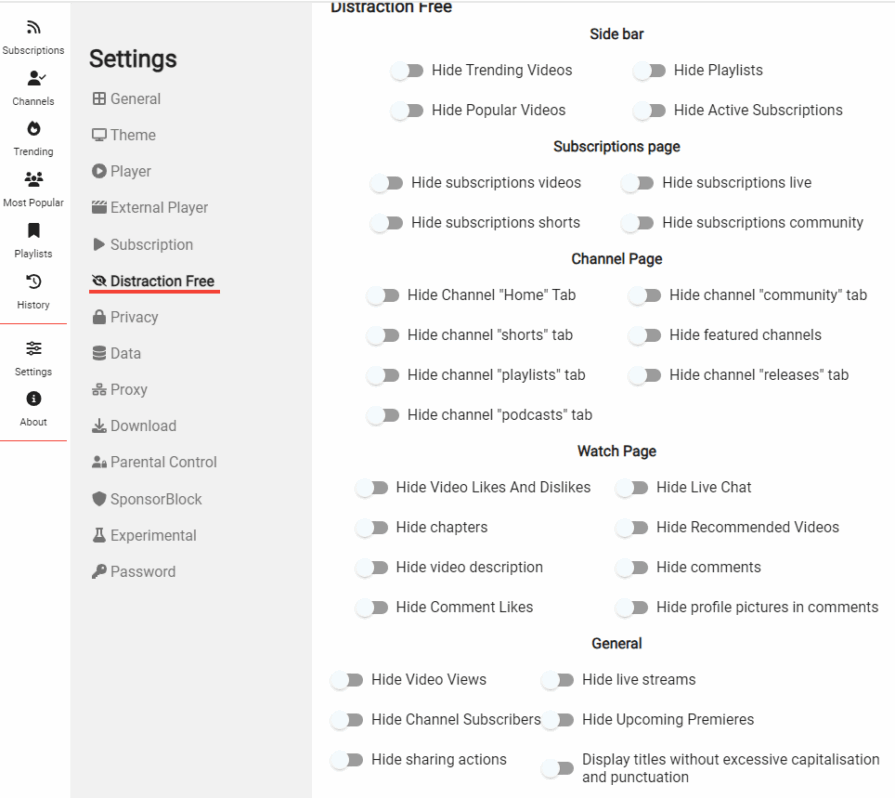
One nice feature is that you can watch videos “Distraction Free” by hiding various YouTube elements. There’s also a parental control setting, and you can password-protect your settings.
JCC Member: I’d like to download some of these video and music clips to enjoy offline.
FreeTube has a download feature, but it may be easier to use an app from 4Kdownload.com: https://www.4kdownload.com/-54
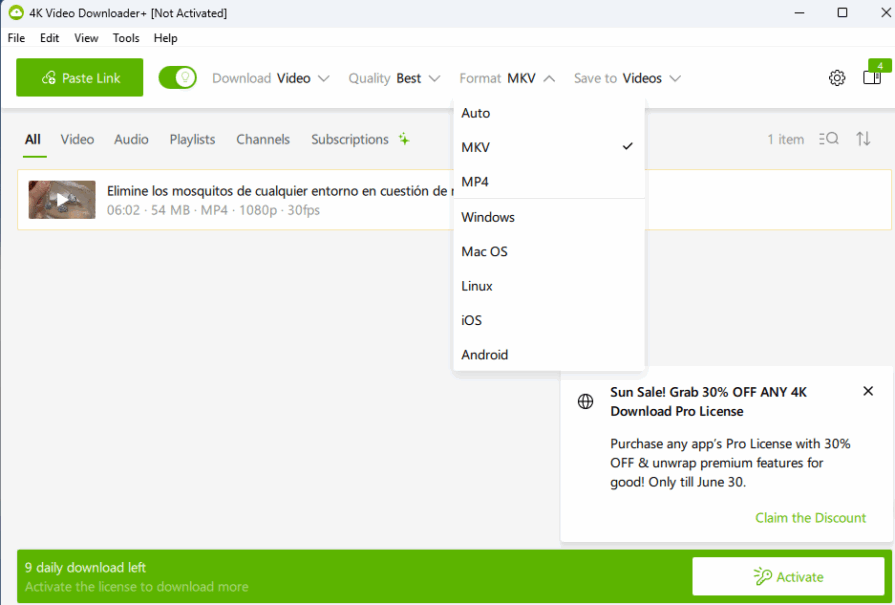
4Kvideo downloader Plus – Downloads high-quality videos and can also be used to strip and download audio from a video clip. It works with YouTube, Vimeo, TikTok, SoundCloud, Facebook, Twitch, Bilibili among others. To use it, Simply paste the “share” link into the app. You can choose the file format of the downloaded file.
4K Youtube to MP3 – Downloads and converts YouTube clips into MP3, again by pasting the “share” link into the app. There is a limited number of downloads per day for free. 4K video downloader gives you 10, and mp3 downloader 5. Users can pay to activate a license for unlimited and bulk downoads.
“All our products can be used on a free-of-charge basis for an unlimited amount of time. Whether you’re on Mac, Windows or even Linux, you can use all our desktop applications. Our applications do not collect or share any sensitive information with third-party services.” The company is based in Germany and Armenia.
JCC Member: I downloaded a video clip, but it won’t play on my Mac!
Macs are particularly fussy about the type of media files they can play, however, VLCMedia player https://www.videolan.org/vlc/ plays everything – Files, Discs, Webcams, Devices and Streams. It plays most codecs with no codec packs needed – MPEG-2, MPEG-4, H.264, MKV, WebM, WMV, MP3…It runs on all platforms – Windows, Linux, Mac OS X, Unix, iOS, Android, and it’s completely free – no spyware, no ads, no user tracking. It was created and is managed by VideoLAN which is a French non-profit organisation.
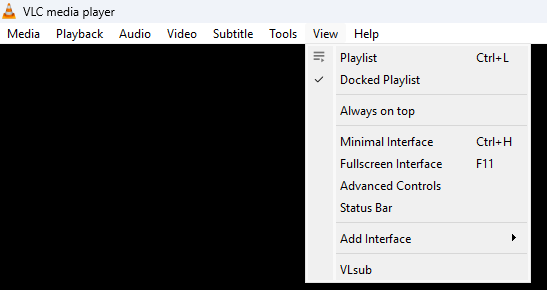
It is a very powerful player with many advanced features. Chris demonstrated how you can use the VLsub utility within the player to find subtitles for a film. Start playing a movie file then click on View / VLsub
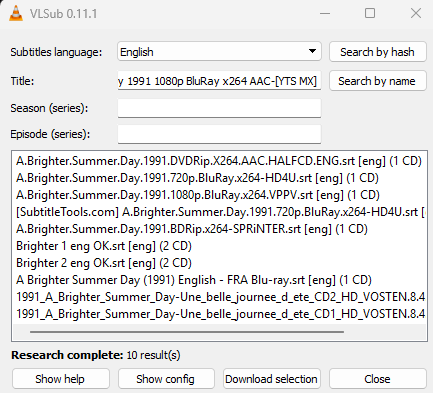
You can search by “hash” which is a unique number identifying the video file. If that doesn’t work, search by the title of the movie. Sometimes there are several different subtitle files to choose from. In this case download different ones to see if they synchronise properly.
JCC member: I’d like to put the music I downloaded onto my phone.
Windows has an app for connecting phones to PCs, but you need to have a Microsoft account to use it. An alternative that does not need an account is KDE Connect. https://kdeconnect.kde.org It works on Windows, Linux, macOS, iOS, and Android, so you won’t have any problems mixing and matching. It is an Open-Surce application that lets you access your phone from your PC and vice versa. You can wirelessly send and receive files over your local network, reply to text messages, and interact with notifications. It can also be used as a remote control for presentations and playing media files.
To use it, install the app on your phone and your PC (or several PCs if you like). During installation, the devices are recognised by each other as a “trusted device” and they communicate over a wifi network.
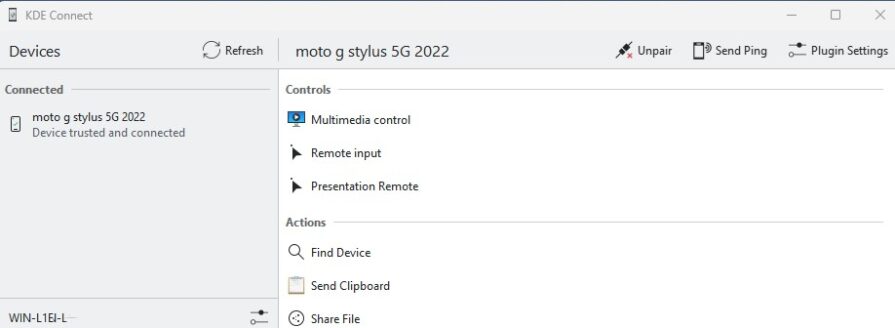
Here’s an image of the app on a desktop. In this case, a Motorola Android smartphone is connected to a trusted Windows PC (WIN-L1E etc – number hidden for security)
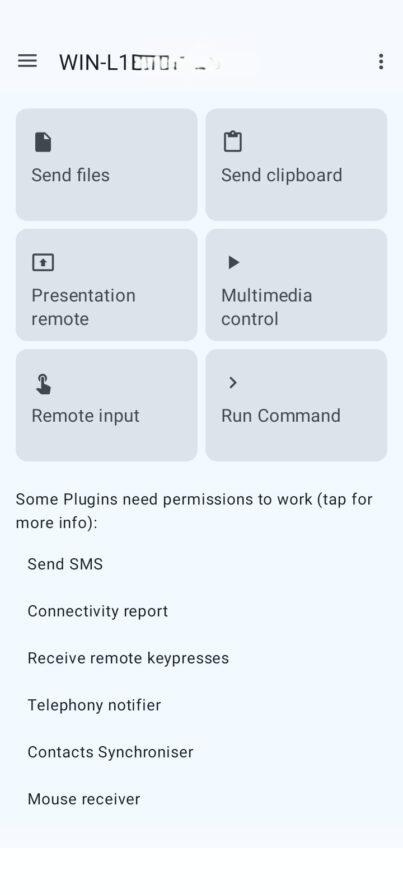
The corresponding app on the phone looks like this. Files and clipboard data can be sent both ways. Media played on the phone can be controlled from the PC and vice versa.
Note: KDE is a registered non-profit in Germany “KDE Applications – Powerful, multi-platform, and for everyone. Use KDE software to surf the web, keep in touch with colleagues, friends and family, manage your files, enjoy music and videos; and get creative and productive at work. The KDE community develops and maintains more than 200 applications which run on any Linux desktop, and often other platforms too.” They have created over 200 apps ! https://apps.kde.org
Jcc Member: I have an e-book which I cannot read on my device!
Well, KDE could come to the rescue again. Try the Okular universal document reader: https://okular.kde.org
Okular supports many formats, including PDF, EPub, DjVU and MD for documents; JPEG, PNG, GIF, Tiff, WebP for images; CBR and CBZ for comics; and many, many more. It is very small (unlike Adobe Acrobat) and you can comment on and annotate text files as well as recognise digitally signed PDFs. It works on multiple platforms, including but not limited to Linux, Windows, Mac OS X, *BSD, etc. It’s also capable of reading a file out loud (very weird!)
Jcc Member : Ive got loads of ebooks and I’d like to have a large screen to read them on.
Someone on the Web has found a solution for you https://www.xda-developers.com/i-converted-my-old-laptop-into-a-self-hosted-e-reader/ I converted my old laptop into a self-hosted e-reader, and here’s why you should do it too
The software he used was Kavita . https://www.kavitareader.com . There’s an interactive Demo here: https://demo.kavitareader.com/home . The app works through a browser (e.g. Chrome) but the books are stored on your laptop.
“Kavita is an open-source, self-hosted digital library management system primarily designed for managing and reading comics, manga, and ebooks. It is built to provide a streamlined and user-friendly experience for organizing and accessing a personal collection of digital reading materials.“
Supported platforms are: Linux, macOS, and Windows. Kavita’s releases are made to be used ‘out of the box’. This means there is no need to install extra software.
Now, that could be one way of re-purposing Windows 10 laptops when security updates end in October!
JCC Member: I use Google Keep and some time ago, Evernote – is there an Open Source note-taker I can use?
Chris revealed that she had taken notes for this presentation on yet another free, Open Source app, Simplenote https://simplenote.com “The simplest way to keep notes – All your notes, synced on all your devices. Get Simplenote now for iOS, Android, Mac, Windows, Linux, or in your browser.“ “Use it everywhere: Notes stay updated across all your devices, automatically and in real time. There’s no “sync” button: It just works. Stay organised: Add tags to find notes quickly with instant searching. Work together: Share a to-do list, post some instructions, or publish your notes online. Go back in time: Notes are backed up with every change, so you can see what you noted last week or last month. Markdown support: Write, preview, and publish your notes in Markdown format.”
It’s free: Apps, backups, syncing, sharing – it’s all completely free, without a cap on usage. However, don’t write any sensitive information since its not end to end encrypted..
There are many more great Open Source apps out there to fulfill your every need. Support the ones you use often by making a donation to the creators and spread the word. The Open Source community believes their way .. is the best way, because a love of open source is just like anything else: it’s better when it’s shared. https://opensource.com/resources/what-open-source
Chris Betterton-Jones – Knowledge Junkie