According to Microsoft, next Tuesday is the last chance to enroll your computer in the Extended Security Updates program and get another year of Windows 10 updates.
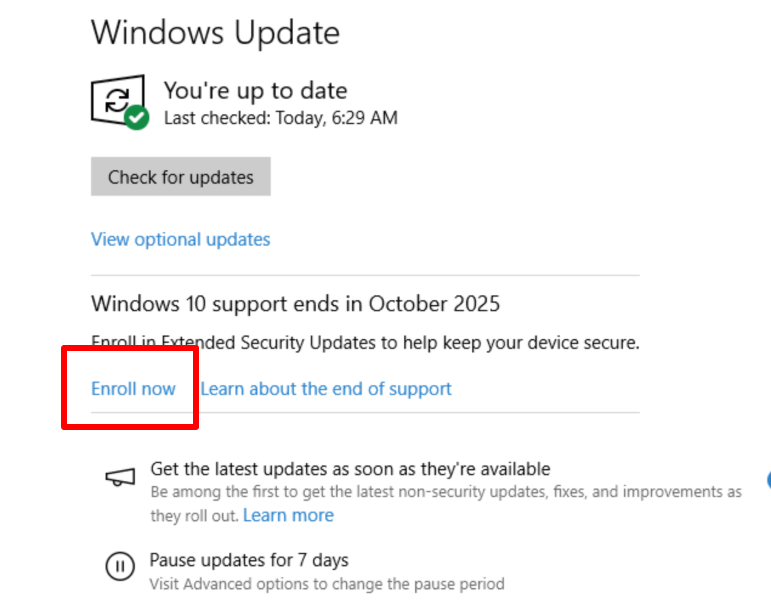
Sign up for ESU by selecting Update & Security from the Settings menu. Click the “Enroll Now” sign-up link, as pictured below.
In theory the the Enroll Now option below should be available.
Step 1: Make sure your PC is up to date
Make sure you also install any and all of the Windows 10 updates available.
Step 2: Make sure you’re using an administrator account
Make sure you’re signed in to the administrator account. You’ll know it’s the right one when you see “Administrator” under the name.
Step 3: Enroll in Extended Security Updates